Geekzone: technology news, blogs, forums
Guest
Welcome Guest.
You haven't logged in yet. If you don't have an account you can register now.


lachlanw

232 posts

Master Geek
+1 received by user: 96

ID Verified
Lifetime subscriber

#320031 28-Jun-2025 06:41
Send private message

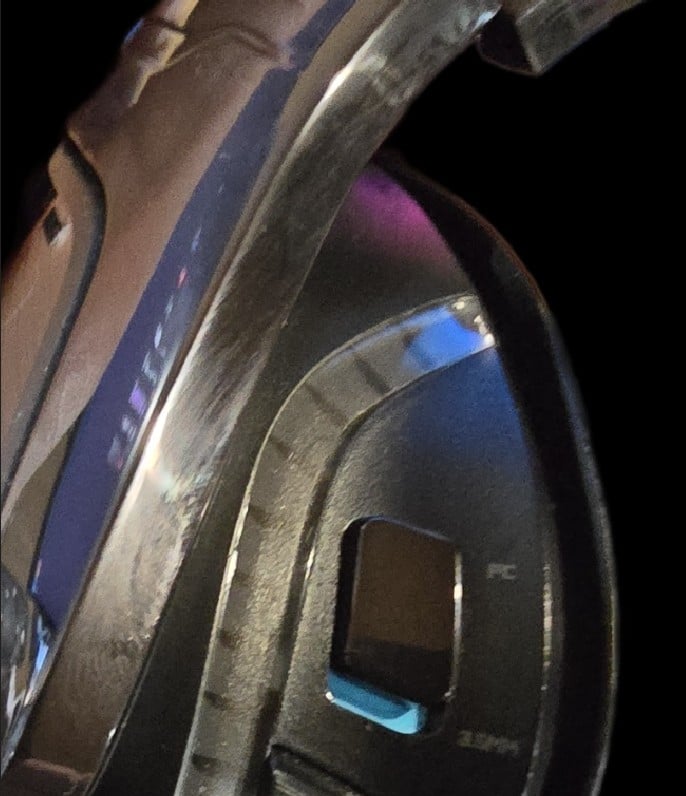
My trusty Logitech G633 headphones have intermittent sound in on headphone, the culprit is the 3.5mm -- PC slider switch (it's a bit weird as it is only ever set to PC). I assume there is some dust or a contact issue. I can get thing working in both ears by fiddling with different pressures on the switch but was hoping for a permanent solution. I've tried to blast compressed air in, as well as a bit of CRC, both of which improved things a little but didn't fix completely and it slowly gets worse. 


Any thoughts on quick and easy ways to fix? TIA (Sorry for the grotty image, I did try and make them clean 


Filter this topic showing only the reply marked as answer Create new topic
Goosey
3014 posts

Uber Geek
+1 received by user: 867

Subscriber

  #3387750 28-Jun-2025 07:05
Send private message

What you have tried is good however you would probally be better spending the money towards a new pair as opposed to trying to find the perfect silicone grease to spray in.


headphones are not easy to take apart and fix…


edit, you will have to continue to spray in the CRC… enjoy the mess/smell/getting it on your skin and hair


SpartanVXL
1498 posts

Uber Geek
+1 received by user: 666


  #3387764 28-Jun-2025 09:31
Send private message

You can usually pull the earcup off and disassemble it from there with philips screwdriver…


I would do that and see what is wrong with the switch rather than keep dumping stuff in and not being able to check what is actually wrong.


G633 from memory is wired so if it is switching to aux you can try just using onboard soundcard? They aren’t as bad as they used to be.


lachlanw

232 posts

Master Geek
+1 received by user: 96

ID Verified
Lifetime subscriber

  #3387805 28-Jun-2025 16:23
Send private message

Thankss @goosey already moved on to a wireless pair just wanting to see it they can be salvaged. 


lachlanw

232 posts

Master Geek
+1 received by user: 96

ID Verified
Lifetime subscriber

  #3387806 28-Jun-2025 16:27
Send private message

Thanks Spartan, the switch affects 3.5mm aux and usb equally unfortunately, was going to see if there was another path before embarking on what will likely be a one way breakdown. 


Bung
6733 posts

Uber Geek
+1 received by user: 2926

Subscriber

  #3387812 28-Jun-2025 18:05
Send private message

Goosey:


What you have tried is good however you would probally be better spending the money towards a new pair as opposed to trying to find the perfect silicone grease to spray in.


Silicone grease is non conductive so wouldn’t be suitable.


lachlanw

232 posts

Master Geek
+1 received by user: 96

ID Verified
Lifetime subscriber

  #3388156 29-Jun-2025 20:49
Send private message

Just to close this out, was actually easy to access the where the switch contacts, gave it a little scrub and it seems to be back to normal.


Filter this topic showing only the reply marked as answer Create new topic


Geekzone Live »

Try automatic live updates from Geekzone directly in your browser, without refreshing the page, with Geekzone Live now.


Are you subscribed to our RSS feed? You can download the latest headlines and summaries from our stories directly to your computer or smartphone by using a feed reader.
