Geekzone: technology news, blogs, forums
Guest
Welcome Guest.
You haven't logged in yet. If you don't have an account you can register now.


Apsattv

2452 posts

Uber Geek
+1 received by user: 724


#290556 19-Nov-2021 12:27
Send private message

I'm currently planning my networking in a new house build. I have a total 32 network ports planned around the house.  I'm wanting to know suggestions for  a switch setup. Can the hg659 handle a switch with that many connections?


What's a good option for a switch? minimum 24 ports, since i wont need all 32 port active


Gigabit obviously


Thoughts?



Create new topic
Zeon
3926 posts

Uber Geek
+1 received by user: 759

Trusted

  #2815687 19-Nov-2021 12:49
Send private message

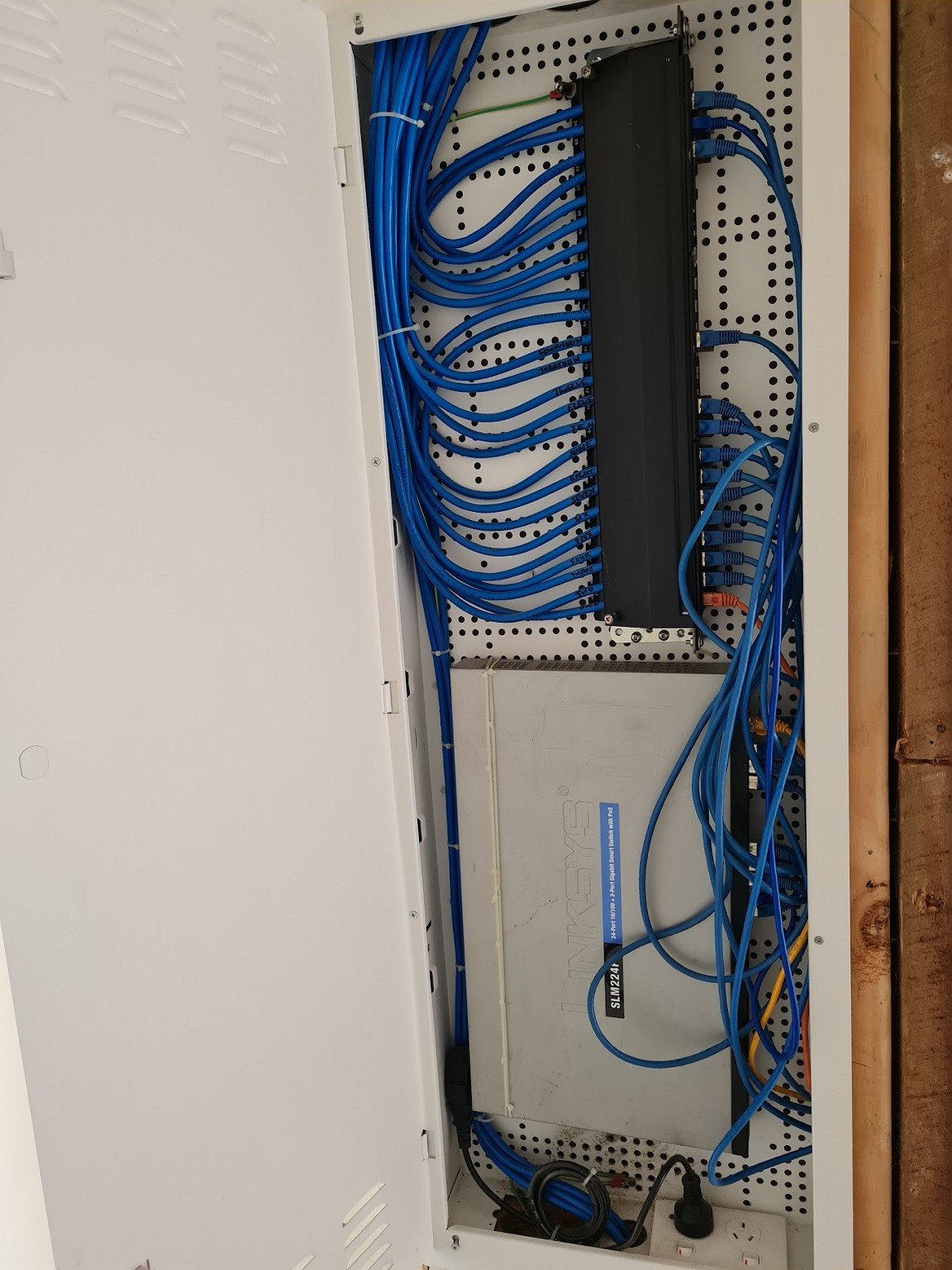
Where will the cables come back to? An in wall networking cabinet can work fine with a 1u switch (which you could get cheap off trademe) that isn't too deep. Below is a photo of how I've done it. The router should be fine even with that many clients. Limitations mainly sit with the number of packets per second it has to process.


I have some spare 1u gigabit switches if you want one but they may be too deep for the cabinet (if that's the way you want to go)


Speedtest 2019-10-14


Apsattv

2452 posts

Uber Geek
+1 received by user: 724


  #2815724 19-Nov-2021 14:08
Send private message

What is the unit at top of your image?


My understanding is the wall box will have 4x8 patchpanels for the networking stuff, from that i need to get it into a switch, then into the vodafone router. (can the vodafone router even manage 32 ports from a switch going into lan1?


No phones or alarms or other wiring other than the TV ant/skydish distribution


I would expect chorus will put their ont in there as well. I was going to put a small 8 port switch temporarily in it. The electrician however has concerns of the lack of space.


ghettomaster
387 posts

Ultimate Geek
+1 received by user: 130


  #2815736 19-Nov-2021 14:24
Send private message

It would seem the HG659 does have a 32 device limit.

https://www.geekzone.co.nz/forums.asp?forumid=40&topicid=189597

It’s also quite an old model now. Can your ISP send you an upgrade, perhaps? If you’re on Vodafone get one of their mesh systems and use the cabling for your back haul - should give you a really good setup.

Might just want to google the model they send and find out if it has a device limit. Shouldn’t do, it’s rare, I just remember the HG659 weirdly having it.


Zeon
3926 posts

Uber Geek
+1 received by user: 759

Trusted

  #2815741 19-Nov-2021 14:34
Send private message

Apsattv:


What is the unit at top of your image?


My understanding is the wall box will have 4x8 patchpanels for the networking stuff, from that i need to get it into a switch, then into the vodafone router. (can the vodafone router even manage 32 ports from a switch going into lan1?


No phones or alarms or other wiring other than the TV ant/skydish distribution


I would expect chorus will put their ont in there as well. I was going to put a small 8 port switch temporarily in it. The electrician however has concerns of the lack of space.


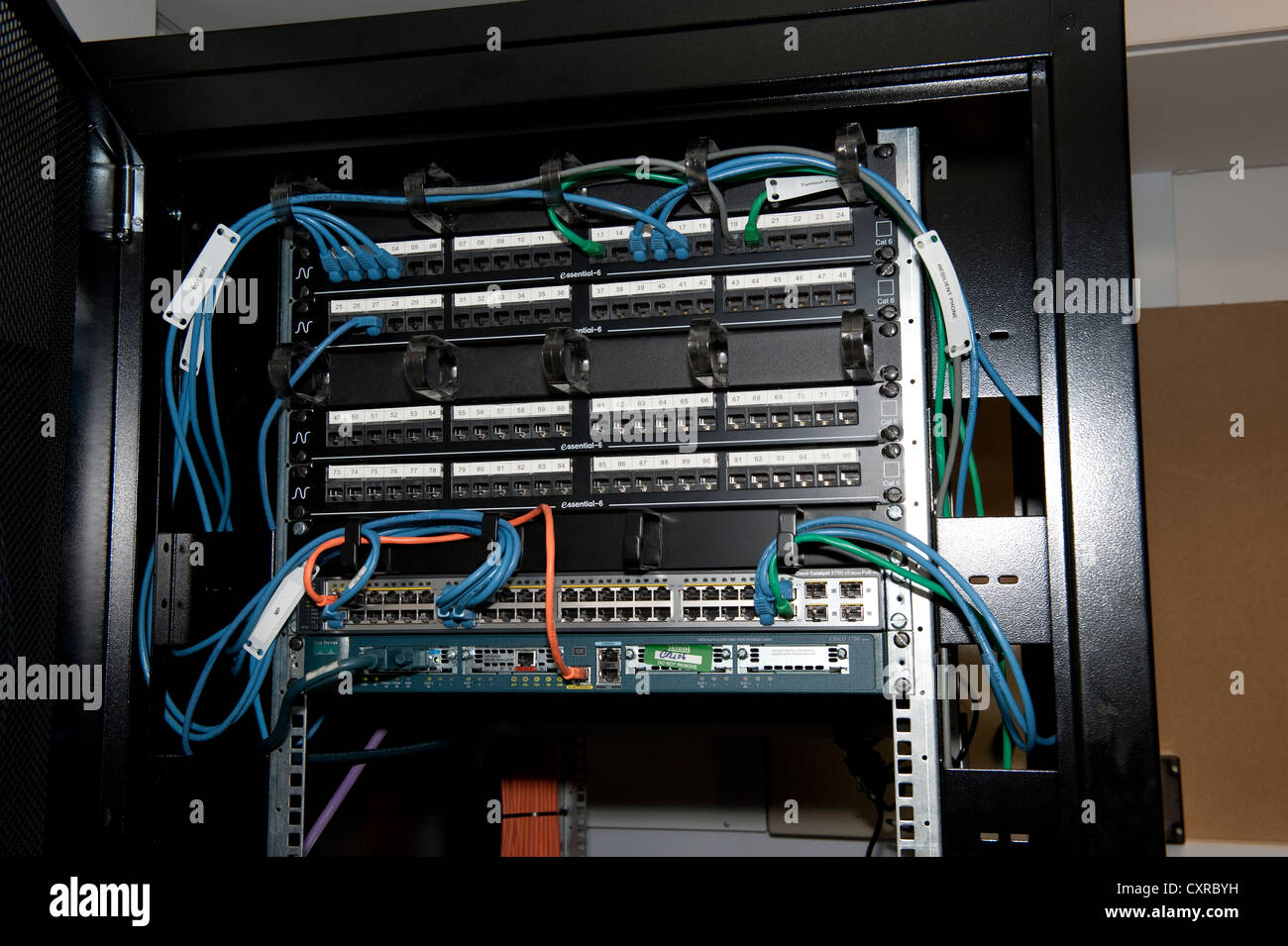
That is a standard 19" rack patch panel put on its side. Since I used Cat6A (shielded), there weren't any other options really but I think you will have more space efficient options when using standard Cat6. Example of these installed into a rack:


If your electrician is worried about space with even an 8 port switch it sounds like you may want to put in a bigger (or multiple) cabinets.


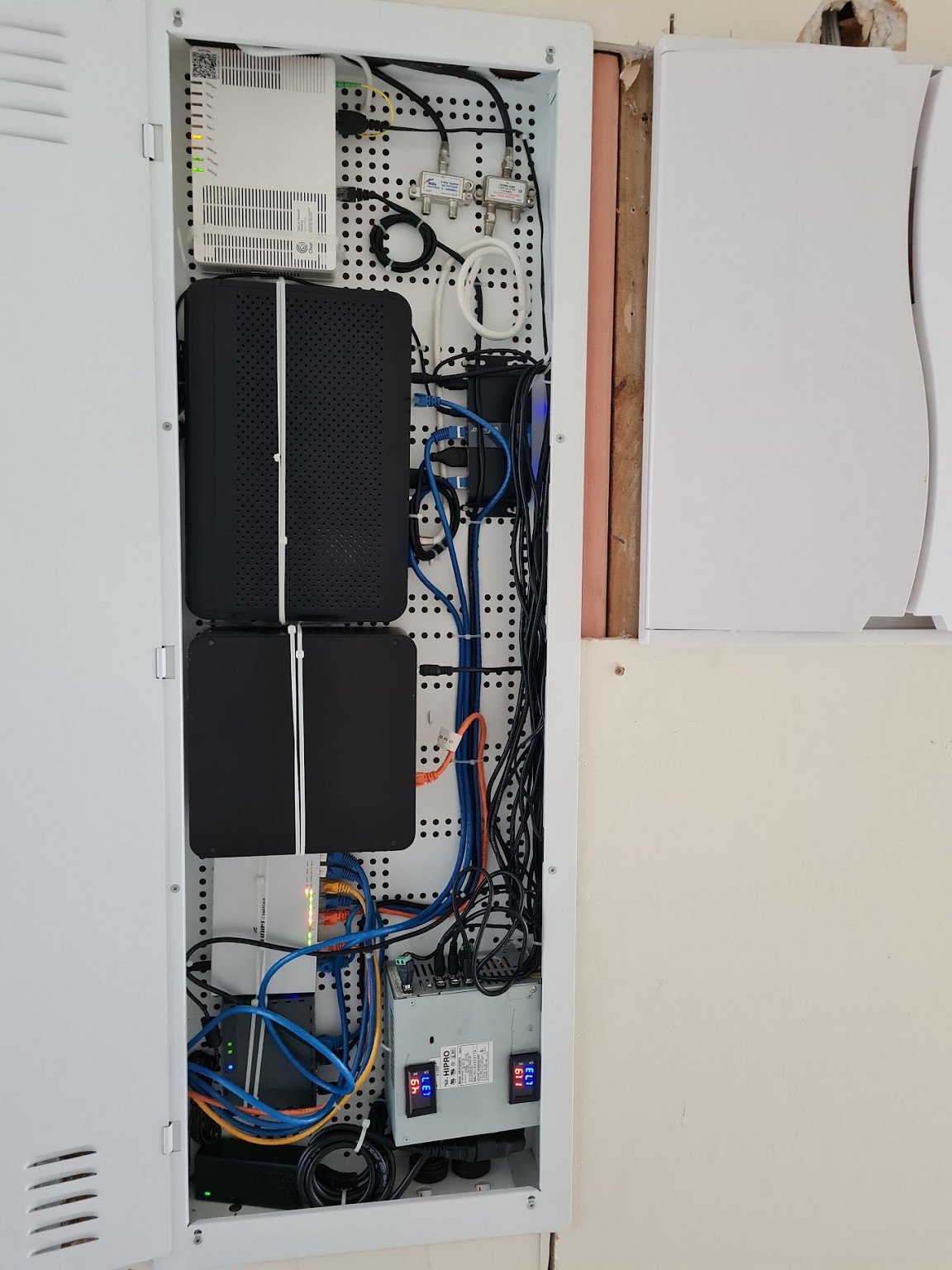
In one of my other cabinets I have the other stuff which includes:


- modded power supply (used for 12v and 5v for the other devices)
- ONT
- Inbound TV aerial and sky dish
- Sky Receiver
- HDMI over cat6A sender
- Mini ITX server
- Mikrotik Router
- UBNT switch

The hole on the left goes into the distribution cabinet from the first pic.


Speedtest 2019-10-14


Apsattv

2452 posts

Uber Geek
+1 received by user: 724


  #2815742 19-Nov-2021 14:35
Send private message

ghettomaster: It would seem the HG659 does have a 32 device limit.

https://www.geekzone.co.nz/forums.asp?forumid=40&topicid=189597

It’s also quite an old model now. Can your ISP send you an upgrade, perhaps? If you’re on Vodafone get one of their mesh systems and use the cabling for your back haul - should give you a really good setup.

Might just want to google the model they send and find out if it has a device limit. Shouldn’t do, it’s rare, I just remember the HG659 weirdly having it.


Sorry my mistake of course its the newer one


http://help.vodafone.co.nz/app/answers/detail/a_id/28437/~/ultra-hub-modem-%7C-step-by-step-guides


Apsattv

2452 posts

Uber Geek
+1 received by user: 724


  #2815758 19-Nov-2021 15:00
Send private message

@zeon what is the make and model of your cabinet?


Shop now on Samsung phones, tablets, TVs and more (affiliate link).
Zeon
3926 posts

Uber Geek
+1 received by user: 759

Trusted

  #2815760 19-Nov-2021 15:06
Send private message

They are Dynamix cabinets easily sourced around New Zealand:


https://www.dynamix.co.nz/78245


Speedtest 2019-10-14


Create new topic


Geekzone Live »

Try automatic live updates from Geekzone directly in your browser, without refreshing the page, with Geekzone Live now.


Are you subscribed to our RSS feed? You can download the latest headlines and summaries from our stories directly to your computer or smartphone by using a feed reader.