Geekzone: technology news, blogs, forums
Guest
Welcome Guest.
You haven't logged in yet. If you don't have an account you can register now.


jonb

1796 posts

Uber Geek
+1 received by user: 545

Trusted

#318353 9-Jan-2025 13:41
Send private message

I moved a family member over to Kogan, ported from Skinny, and since then they have been having troubles with SMS on their iPhone 12.


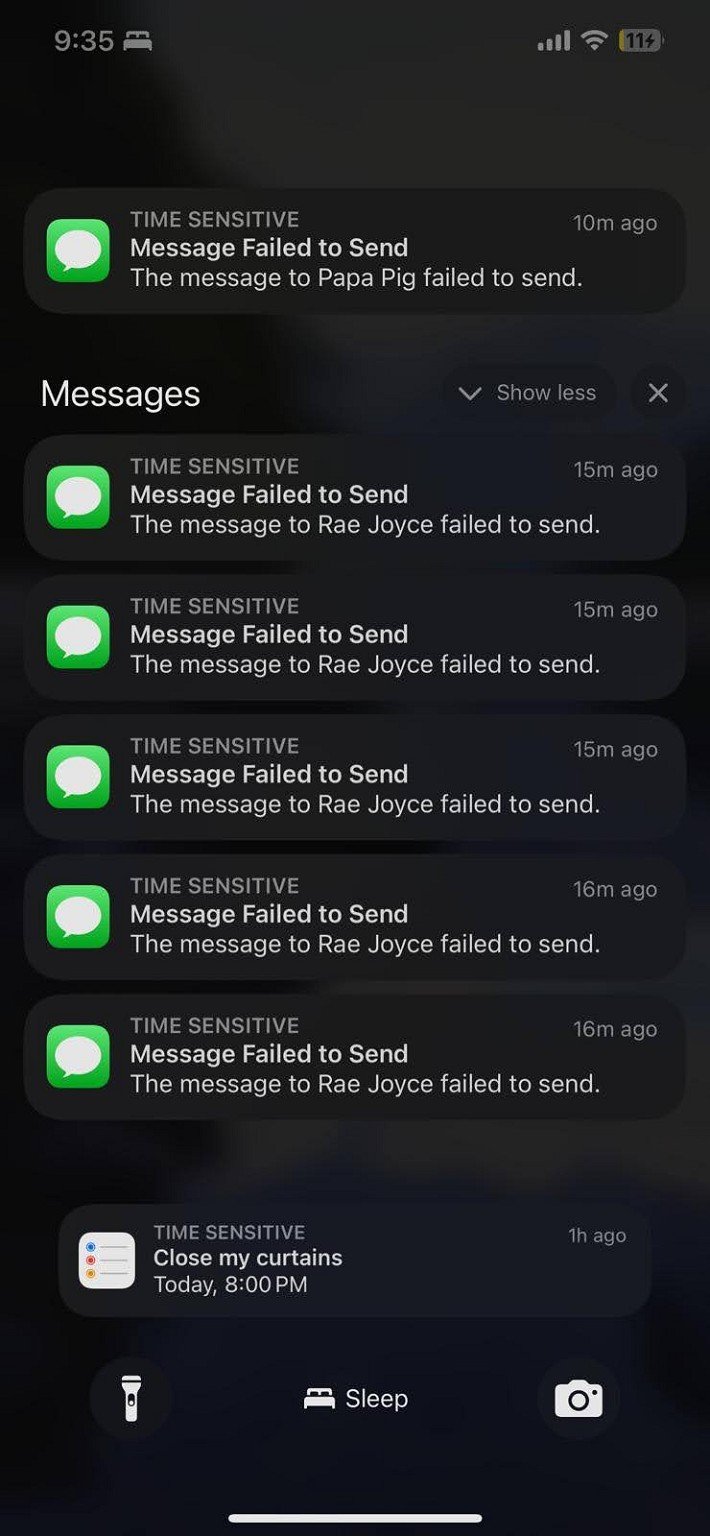
SMS being delayed by 15-16 minutes, and being received twice by recipients. She is contacting Kogan who have said it is a device issue -  good if can get more info for getting it resolved - seems like 2 different issues:


Turning off iMessage on the iPhone has stopped the buffering in the image below (but they want iMessage again if possible)


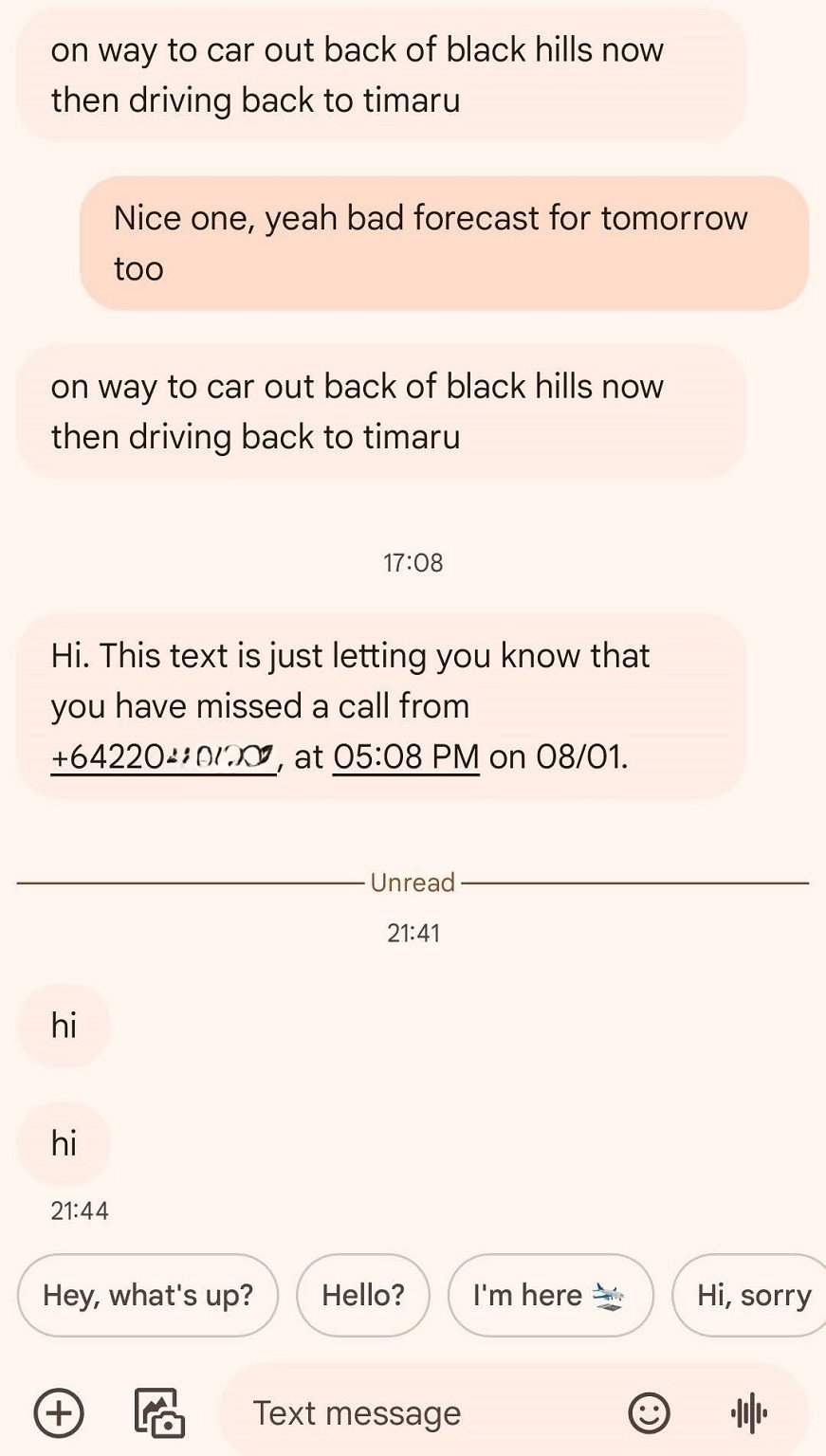
SMS still being sent twice, just quicker now:


Doesn't seem like same issue as experienced here on 2degrees last year - No OPPO in the mix either.


Possibly some porting not quite correct?  APN settings look okay. I don't know much about iMessage if needs to be reset or something on the iPhone after porting.


Logging into Kogan still shows the original SIM card phone number against the account too, compared to when I login my ported number is shown against my name.



Create new topic
MaxineN
Max
2049 posts

Uber Geek
+1 received by user: 1663

ID Verified
Trusted
Subscriber

  #3329562 9-Jan-2025 13:47
Send private message

If the number is different in My Number (Settings > Phone) vs what was ported that will be 1 issue. Can be fixed by changing it and then doing a reboot then re-activating iMessage.


If porting wasn't correct then SMS or calls would fail completely.


Ramblings from a mysterious lady who's into tech. Warning I may often create zingers.


Linux
12182 posts

Uber Geek
+1 received by user: 8476

Trusted
Lifetime subscriber

  #3329568 9-Jan-2025 14:00
Send private message

@jonb imessage is not SMS so if you disable imessage and the issue stops then that shows it is not a SMS issue


RunningMan
9186 posts

Uber Geek
+1 received by user: 4840


  #3329610 9-Jan-2025 16:07
Send private message

The delay is typical of trying to send as imessage then failing back to SMS. Try a disable then reenable of imessage and facetime.


Oliotrio
2 posts

Wannabe Geek


  #3337006 29-Jan-2025 15:17
Send private message

I have also recently ported my number to Kogan and am having the same issue with messaging. Sending double messages to the recipient to non iMessage recipients. And iMessage is not working at all for me. Pretty unhappy to be honest! 

I’ve tried updating my number in phone settings but it keeps bouncing back to the original sim number :( 


Scott3
4177 posts

Uber Geek
+1 received by user: 2990

Trusted
Lifetime subscriber

  #3337008 29-Jan-2025 15:21
Send private message

Kogan chat support was pretty good last time I needed it. Worth a crack.


EviLClouD
305 posts

Ultimate Geek
+1 received by user: 65


  #3337017 29-Jan-2025 16:19
Send private message

Did turning imessage on/off solve this?


Otherwise if you don't mind this, what you could do is turn off 'send as text message' in the messages/imessage settings.


What is sounds like is imessage is failing to send the initial message, so then it sends as a text, then for whatever reason imessage sends the original successfully


Shop now for Dell laptops and other devices (affiliate link).
CYaBro
4708 posts

Uber Geek
+1 received by user: 1182

ID Verified
Trusted

  #3337024 29-Jan-2025 16:59
Send private message

Try taking the SIM card out and putting it back in. 
then be sure to accept / allow / say yes when asked if you want to activate FaceTime and iMessage. 


That worked recently when my sisters family had sms issues after porting to Kogan. 


Opinions are my own and not the views of my employer.


ajw

ajw
1968 posts

Uber Geek
+1 received by user: 369


Oliotrio
2 posts

Wannabe Geek


  #3337114 29-Jan-2025 19:58
Send private message

Just managed to fix it with the help of a reddit post! Selecting the non active sim number seemed to update it to my ported number. 


Create new topic


Geekzone Live »

Try automatic live updates from Geekzone directly in your browser, without refreshing the page, with Geekzone Live now.


Are you subscribed to our RSS feed? You can download the latest headlines and summaries from our stories directly to your computer or smartphone by using a feed reader.