Geekzone: technology news, blogs, forums
Guest
Welcome Guest.
You haven't logged in yet. If you don't have an account you can register now.


freitasm

BDFL - Memuneh
80937 posts

Uber Geek
+1 received by user: 41662

Administrator
ID Verified
Trusted
Geekzone
Lifetime subscriber

#284204 7-Apr-2021 09:57
Send private message

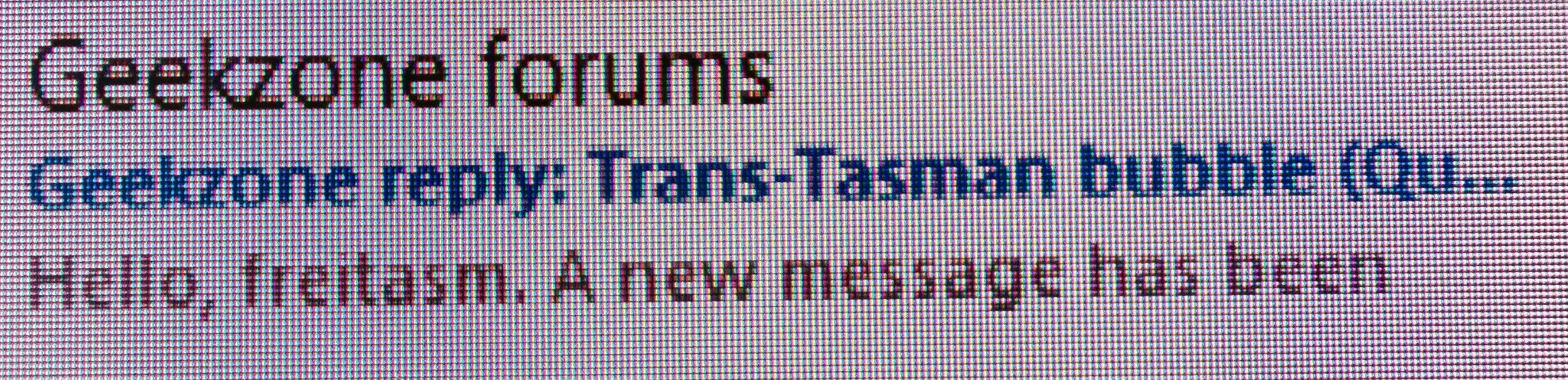
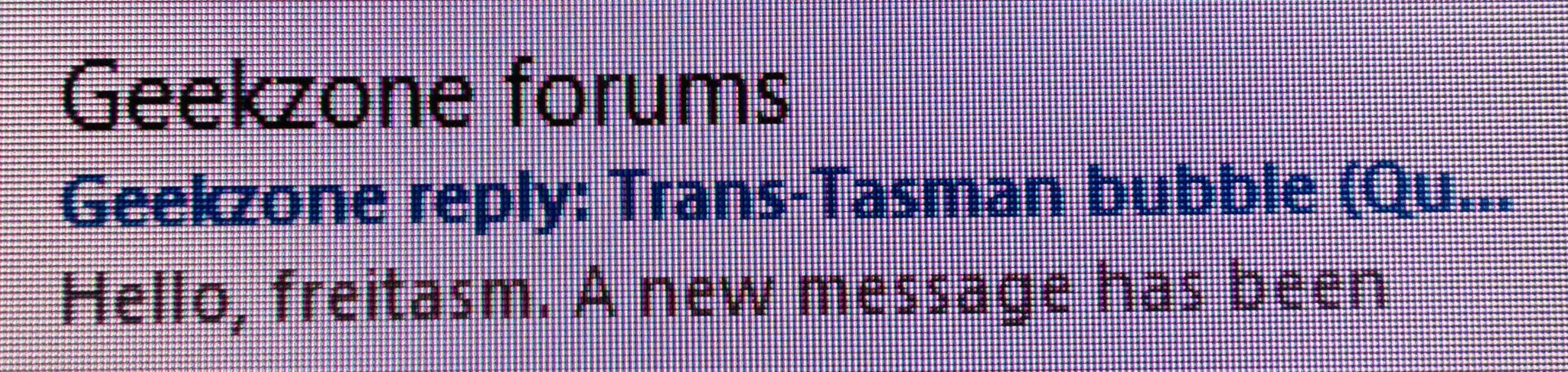
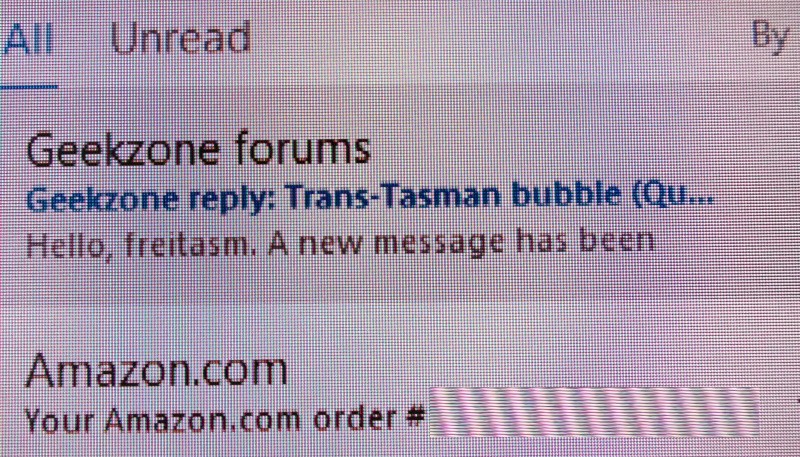
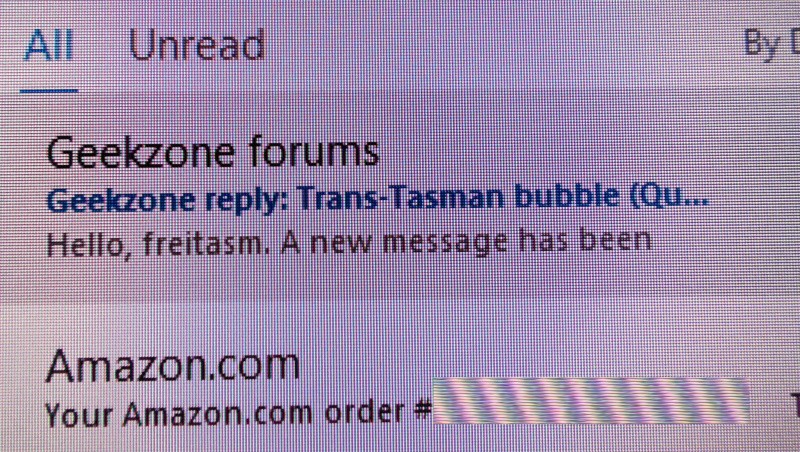
Suddenly last night my monitor (a 35" BenQ) changed - I could see the fonts on the left side had some jagged edges, while moving the same window to the left side showed it sharp and easy to read, as usual.


To make sure it was not the source (a desktop with NVIDIA card) or cable, I first plugged my laptop via USB-C - and the same thing happens.


So certainly something with the monitor. Not completely unusable but I can see the difference so at some point it will be annoying. Interesting it seems to happen with text only as images, icons, video seem to be ok.


I also know it shouldn't be the desktop source as screenshots show no difference.


Any ideas or suggestions (have in mind tested with two different sources and two different connection types). Below are the left side (bad) and the right side (good):


Referral links: Quic Broadband (free setup code: R587125ERQ6VE) | Samsung | AliExpress | Wise | Sharesies 


Support Geekzone by subscribing (browse ads-free), or making a one-off or recurring donation through PressPatron.


View this topic in a long page with up to 500 replies per page Create new topic
 1 | 2
MadEngineer
4637 posts

Uber Geek
+1 received by user: 2614

Trusted

  #2687748 7-Apr-2021 11:27
Send private message

Factory reset it


You're not on Atlantis anymore, Duncan Idaho.


freitasm

BDFL - Memuneh
80937 posts

Uber Geek
+1 received by user: 41662

Administrator
ID Verified
Trusted
Geekzone
Lifetime subscriber

  #2687837 7-Apr-2021 12:15
Send private message

Talking to support to see how to go about that - can't find instructions for this specific monitor model so waiting for support to provide some. 


Referral links: Quic Broadband (free setup code: R587125ERQ6VE) | Samsung | AliExpress | Wise | Sharesies 


Support Geekzone by subscribing (browse ads-free), or making a one-off or recurring donation through PressPatron.


freitasm

BDFL - Memuneh
80937 posts

Uber Geek
+1 received by user: 41662

Administrator
ID Verified
Trusted
Geekzone
Lifetime subscriber

  #2687847 7-Apr-2021 12:34
Send private message

Hmmm. Used the OSD to reset it - twice but the same results. They say it's the only reset option, although some search tells me there is a hidden Factory Menu for other models but nothing for this one.


Referral links: Quic Broadband (free setup code: R587125ERQ6VE) | Samsung | AliExpress | Wise | Sharesies 


Support Geekzone by subscribing (browse ads-free), or making a one-off or recurring donation through PressPatron.


freitasm

BDFL - Memuneh
80937 posts

Uber Geek
+1 received by user: 41662

Administrator
ID Verified
Trusted
Geekzone
Lifetime subscriber

  #2687882 7-Apr-2021 14:09
Send private message

Same photos above but without sizing down... On the first one you can see a shadow on top of the letters. This is what causes it look jagged.


Referral links: Quic Broadband (free setup code: R587125ERQ6VE) | Samsung | AliExpress | Wise | Sharesies 


Support Geekzone by subscribing (browse ads-free), or making a one-off or recurring donation through PressPatron.


SpartanVXL
1529 posts

Uber Geek
+1 received by user: 675


  #2687888 7-Apr-2021 14:37
Send private message

Since you’ve tested source, possibly something wrong with a monitor feature (if the display controller isnt broken).

Anything like a sharpening, anti-ghosting/overdrive, image scaling setting?

When you mention only half the screen I think of those ‘feature display’ settings that retail stores use to showcase what the screen can do. Any chance it has something like that?

freitasm

BDFL - Memuneh
80937 posts

Uber Geek
+1 received by user: 41662

Administrator
ID Verified
Trusted
Geekzone
Lifetime subscriber

  #2687889 7-Apr-2021 14:39
Send private message

No "Features" like this in use (including PIP or PBP). Twice reset. No, don't think it's a Store Mode - or at least the support person didn't mention that but she did ask about multiple sources at same time (which would be PIP and PBP).


Referral links: Quic Broadband (free setup code: R587125ERQ6VE) | Samsung | AliExpress | Wise | Sharesies 


Support Geekzone by subscribing (browse ads-free), or making a one-off or recurring donation through PressPatron.


Move to New Zealand's best fibre broadband service (affiliate link). Free setup code: R587125ERQ6VE. Note that to use Quic Broadband you must be comfortable with configuring your own router.
richms
29246 posts

Uber Geek
+1 received by user: 10352

Trusted
Lifetime subscriber

  #2687901 7-Apr-2021 15:22
Send private message

I had one screen with a demo mode that when on only messed up half of the picture. Perhaps something like that happened? Otherwise if its a tiled display perhaps half of it is negotiation a lower res with the display card or something. Ive not played too much with ones that do that to know what artifacts that can show as.


Richard rich.ms

freitasm

BDFL - Memuneh
80937 posts

Uber Geek
+1 received by user: 41662

Administrator
ID Verified
Trusted
Geekzone
Lifetime subscriber

  #2687913 7-Apr-2021 15:47
Send private message

BenQ asked to RMA the monitor, so doing it now.


Referral links: Quic Broadband (free setup code: R587125ERQ6VE) | Samsung | AliExpress | Wise | Sharesies 


Support Geekzone by subscribing (browse ads-free), or making a one-off or recurring donation through PressPatron.


freitasm

BDFL - Memuneh
80937 posts

Uber Geek
+1 received by user: 41662

Administrator
ID Verified
Trusted
Geekzone
Lifetime subscriber

  #2688376 8-Apr-2021 15:30
Send private message

Dropped monitor to the service agent in Wellington, under warranty, no questions asked.


Referral links: Quic Broadband (free setup code: R587125ERQ6VE) | Samsung | AliExpress | Wise | Sharesies 


Support Geekzone by subscribing (browse ads-free), or making a one-off or recurring donation through PressPatron.


sonyxperiageek
2984 posts

Uber Geek
+1 received by user: 398

Trusted

  #2689484 8-Apr-2021 18:02
Send private message

Time to switch to a Dell?


Sony


freitasm

BDFL - Memuneh
80937 posts

Uber Geek
+1 received by user: 41662

Administrator
ID Verified
Trusted
Geekzone
Lifetime subscriber

  #2689487 8-Apr-2021 18:08
Send private message

sonyxperiageek: Time to switch to a Dell?


Nah. The BenQ is really nice - good size, brightness and HDR. Unless it comes back as non-reparable I see no reason to switch (and pay) for a new one now.


Referral links: Quic Broadband (free setup code: R587125ERQ6VE) | Samsung | AliExpress | Wise | Sharesies 


Support Geekzone by subscribing (browse ads-free), or making a one-off or recurring donation through PressPatron.


Shop now for Dell laptops and other devices (affiliate link).
Apsattv
2467 posts

Uber Geek
+1 received by user: 731


  #2689555 8-Apr-2021 19:47
Send private message

Most monitors these days can have firmware applied via their usb ports, that may been an option?


freitasm

BDFL - Memuneh
80937 posts

Uber Geek
+1 received by user: 41662

Administrator
ID Verified
Trusted
Geekzone
Lifetime subscriber

  #2689558 8-Apr-2021 20:01
Send private message

It is with the service agents so will see if any firmware update is applied as I have the previous version in my records.


Referral links: Quic Broadband (free setup code: R587125ERQ6VE) | Samsung | AliExpress | Wise | Sharesies 


Support Geekzone by subscribing (browse ads-free), or making a one-off or recurring donation through PressPatron.


freitasm

BDFL - Memuneh
80937 posts

Uber Geek
+1 received by user: 41662

Administrator
ID Verified
Trusted
Geekzone
Lifetime subscriber

  #2697231 23-Apr-2021 15:03
Send private message

The service agent couldn't see the problem so I sent a couple of the high-resolution photos I had taken before. It's one of those "once seen it cannot be unseen" things and he noticed it immediately after the photos were supplied.


Unfortunately, BenQ thinks it's a panel problem and they can't provide a replacement, so I am receiving a full refund of the price paid.


Case closed.


Referral links: Quic Broadband (free setup code: R587125ERQ6VE) | Samsung | AliExpress | Wise | Sharesies 


Support Geekzone by subscribing (browse ads-free), or making a one-off or recurring donation through PressPatron.


Apsattv
2467 posts

Uber Geek
+1 received by user: 731


  #2697418 24-Apr-2021 05:29
Send private message

Hope it was nothing to do with cleartype. Something to check..


 1 | 2
View this topic in a long page with up to 500 replies per page Create new topic


Geekzone Live »

Try automatic live updates from Geekzone directly in your browser, without refreshing the page, with Geekzone Live now.


Are you subscribed to our RSS feed? You can download the latest headlines and summaries from our stories directly to your computer or smartphone by using a feed reader.