Geekzone: technology news, blogs, forums
Guest
Welcome Guest.
You haven't logged in yet. If you don't have an account you can register now.


askelon

942 posts

Ultimate Geek
+1 received by user: 233

ID Verified

#310722 16-Nov-2023 13:58
Send private message

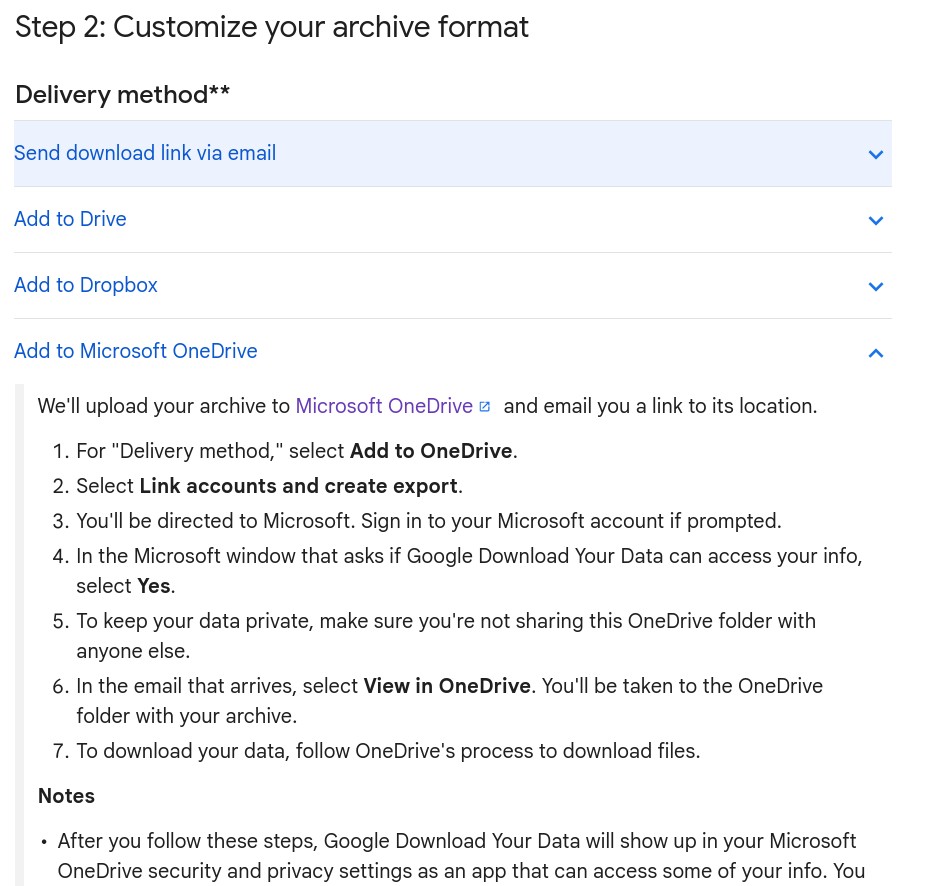
I have a client with 180GB of gmail emails (yes 180Gb in total). I need to be able to export these to either an mbox or PST.  PST is pretty much out of the question.  I know I could try using Google Takeout but Im not sure if they would need 180+GB free to do this - ideally I'd like it to go to my onedrive.  Other option is an email client of some sort - Im thinking Thunderbird?  I know it'll do mbox by default and hopefully be a pretty standard version of it. Will it be painful downloading 180+GB? Yes it will....  


Anyone have any recommendations before I attempt this? 



Create new topic
Dynamic
4015 posts

Uber Geek
+1 received by user: 1850

ID Verified
Trusted
Lifetime subscriber

  #3160150 16-Nov-2023 14:00
Send private message

What is your client trying to achieve?


“Don't believe anything you read on the net. Except this. Well, including this, I suppose.” Douglas Adams


askelon

942 posts

Ultimate Geek
+1 received by user: 233

ID Verified

  #3160151 16-Nov-2023 14:02
Send private message

It needs to be all uploaded to a particular law database which takes either pst or mbox. 


wellygary
8810 posts

Uber Geek
+1 received by user: 5287


  #3160152 16-Nov-2023 14:03
Send private message

I'm guessing there are a fairly large number of big attachments,??  - getting to 180GB with plain text would be seriously impressive, 


See if there is a way to sort and export the largest offenders as a separate exercise, before dealing with the large number of regular emails, 


askelon

942 posts

Ultimate Geek
+1 received by user: 233

ID Verified

  #3160205 16-Nov-2023 16:01
Send private message

Ive had another chat with them about it all after finding out they now have 4+ mailboxes pushing 200GB each and its been decided I get the fun job of setting up a label for a bunch of keywords and hopefully exporting that.  Still better than how it was going to go! 


rhy7s
673 posts

Ultimate Geek
+1 received by user: 147


  #3160231 16-Nov-2023 17:44
Send private message

Setting up a filter or filters to include messages with the specified keywords to retroactively apply a label or labels and using Google Takeout to select just those labels to include in the archive would seem to be the easiest option.


ANglEAUT
altered-ego
2436 posts

Uber Geek
+1 received by user: 841

Trusted
Lifetime subscriber

  #3160272 16-Nov-2023 20:26
Send private message

@askelon: ... - ideally I'd like it to go to my onedrive. ...


See here


Please keep this GZ community vibrant by contributing in a constructive & respectful manner.


Shop now for Lego sets and other gifts (affiliate link).
askelon

942 posts

Ultimate Geek
+1 received by user: 233

ID Verified

  #3160464 17-Nov-2023 10:48
Send private message

Ive got it all sorted now thanks. I ended up making a bunch of search terms, labelling the results and once the searching part is over I'll (hopefully!) export the labels with takeout. 


Create new topic


Geekzone Live »

Try automatic live updates from Geekzone directly in your browser, without refreshing the page, with Geekzone Live now.


Are you subscribed to our RSS feed? You can download the latest headlines and summaries from our stories directly to your computer or smartphone by using a feed reader.