Geekzone: technology news, blogs, forums
Guest
Welcome Guest.
You haven't logged in yet. If you don't have an account you can register now.


emjas

6 posts

Wannabe Geek
+1 received by user: 3


#306406 20-Jul-2023 10:12
Send private message

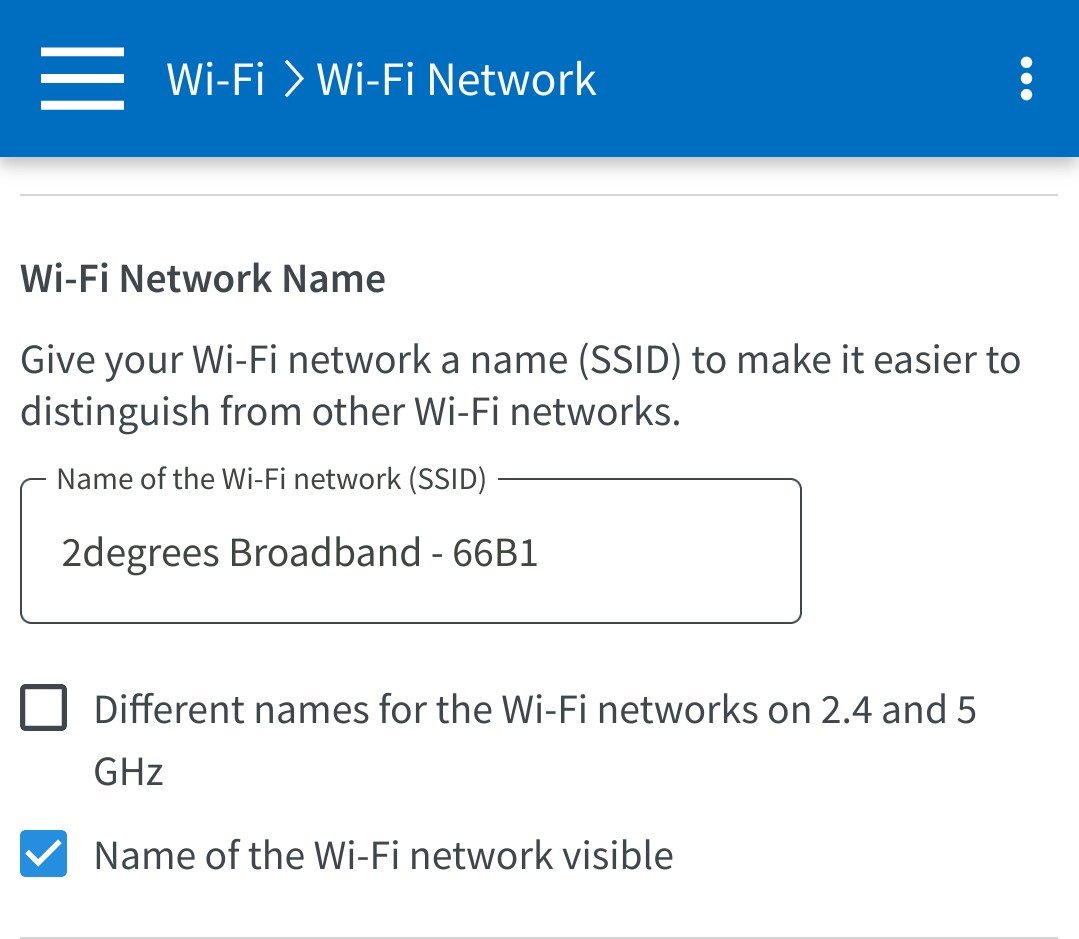
I have been with Slingshot for many years using my own Fritzbox, and yesterday (19/07) I came home to find my Wi-Fi name had been changed to "2degrees Broadband - 66B1" and so my devices were no longer connected.


I checked the modem and found that the downlink/uplink speeds had also been changed to 1000Mbps but all other settings were unchanged (including Wi-Fi password, VPN, etc).


There's also a message saying some settings are managed by the ISP.
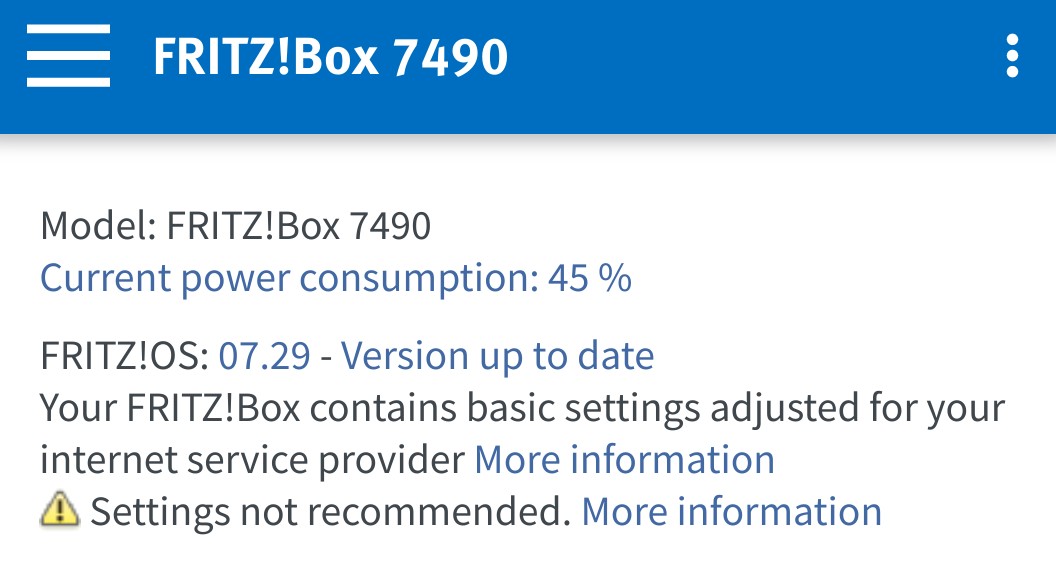


Today I called Slingshot and they claimed no config had been pushed to the modem and it must be using default settings so I should contact the manufacturer.


This is wrong of course, because this is not a branded modem and it has not been reset.


I'm guessing that since SS is now 2D they wanted to update modems with their branding.


Has any one else experienced this?


Filter this topic showing only the reply marked as answer Create new topic
Delorean
673 posts

Ultimate Geek
+1 received by user: 343

ID Verified
Trusted
Lifetime subscriber

  #3106193 20-Jul-2023 10:51
Send private message

Yeah, I recommend re flashing the firmware with the generic version that you can download from their site.

The 7490 would have been sourced via snap or 2D back in the day so it does have the ISP custom settings.


Referral Link: | Quic Broadband (use R142206E0L2CR for free setup)


michaelmurfy
meow
13586 posts

Uber Geek
+1 received by user: 10928

Moderator
ID Verified
Trusted
Lifetime subscriber

  #3106194 20-Jul-2023 10:53
Send private message

Likely they couldn't talk back to 2degrees at all before but now they're able to talk back thanks to the network migration work going on have suddenly downloaded last known configuration.


Michael Murphy | https://murfy.nz
Referral Links: Quic Broadband (use R122101E7CV7Q for free setup)

Are you happy with what you get from Geekzone? Please consider supporting us by subscribing.
Opinions are my own and not the views of my employer.


emjas

6 posts

Wannabe Geek
+1 received by user: 3


  #3106199 20-Jul-2023 11:18
Send private message

Thanks guys. That makes sense.


I bought the Fritzbox 2nd-hand so I don't know its origin.


I'll see if I can reload the FW.


SpartanVXL
1504 posts

Uber Geek
+1 received by user: 667


  #3106265 20-Jul-2023 14:33
Send private message

If you can find it, disable the setting for TR-069. This is likely how config was changed unless it got reset somehow.

emjas

6 posts

Wannabe Geek
+1 received by user: 3


  #3106292 20-Jul-2023 15:20
Send private message

I see now that my Fritzbox TR-069 is pointing to Snap, though it can't be disabled.


The log also says that settings were pulled from the ISP.


I've blocked the Snap URL in Pi-Hole for now, and look at updating the FW when I can.


Delorean
673 posts

Ultimate Geek
+1 received by user: 343

ID Verified
Trusted
Lifetime subscriber

  #3106326 20-Jul-2023 16:21
Send private message

Been here before.

The only solution is to get the firmware re flashed with the generic version.

It’s about 10 mins of your time and easy to do.


Referral Link: | Quic Broadband (use R142206E0L2CR for free setup)


Shop now for Lenovo laptops and other devices (affiliate link).
emjas

6 posts

Wannabe Geek
+1 received by user: 3


  #3106412 20-Jul-2023 22:01
Send private message

I got it sorted by clearing the "provider" as described here https://www.geekzone.co.nz/forums.asp?forumid=81&topicid=148507


When restoring my backup I had to unselect "Internet connection" otherwise the TR069 url came back.


Filter this topic showing only the reply marked as answer Create new topic


Geekzone Live »

Try automatic live updates from Geekzone directly in your browser, without refreshing the page, with Geekzone Live now.


Are you subscribed to our RSS feed? You can download the latest headlines and summaries from our stories directly to your computer or smartphone by using a feed reader.
